Bunkhouse

In trial at a working bunkhouse

Online booking for bunkhouses and small hostels

Guests choose their nights and their room, and pay a deposit to book. Bunkhouse collects the balance when it is due and sends the reminder emails and an optional thank-you email when they leave. Each morning, staff open one page to see who is leaving, who is arriving and which beds need changing.

See how guests book See the dashboard

The staff dashboard: who is arriving, leaving and in the house tonight, and which beds to change.
  1. 1 / 6 How many of you
  2. 2 / 6 The night you arrive
  3. 3 / 6 The morning you leave
  4. 4 / 6 Where you’ll sleep
  5. 5 / 6 Your details
  6. 6 / 6 Pay, and you’re booked

Six short steps

Guests book in six short steps: how many are coming, the night they arrive, the morning they leave, the room, their details, and payment. Each step is its own page rather than one complicated form. It is reassuringly simple. It works on laptops, tablets or phones.
Only what can be booked

The calendar only lets guests pick nights with beds for the whole group. Once they pick an arrival night, it shows how long they can stay based on the availability of beds. Each room is then listed with its price for that group on those dates, before the guest gives any details.

Guests manage their own booking

The confirmation email links to the guest’s booking page. It shows what has been paid, what is still due and when. Guests who paid online can change their dates, their group or their room, or cancel. They see the new price or the refund before they agree, and nobody has to phone the bunkhouse.

Emails with a reason

Guests get a confirmation as soon as they book, a reminder before the balance is due, a note a few days before they arrive, and a thank-you after they leave if the owner has written one. The scheduled emails go out at an hour staff choose, in the bunkhouse’s timezone. Guests are never sent newsletters or offers.

The money

  • Cards through Stripe. Guests pay by card on Stripe’s own page, so the app never sees their card details.
  • A deposit now, the rest later. Staff set the size of the deposit and when the balance is due. Small bookings, and bookings made close to the arrival date, are paid in full up front.
  • The balance is collected automatically. On the day the balance is due, Bunkhouse charges the card the guest booked with. If the card is declined, the guest is emailed a link to pay and the booking appears under Needs attention on the staff dashboard. The card is not charged again without the guest knowing.
  • Refunds on the bunkhouse’s terms. Staff set how much is refunded and up to how many days before arrival. Guests see the last date for each refund before they book. Each booking keeps the terms it was made under, so changing the terms later doesn’t affect guests already booked.
  • Changes are priced fairly. A changed booking is priced at current rates. Guests pay for anything added and are refunded for anything given up, under the booking’s cancellation terms.
  • Three numbers make a price list. Staff set three prices: a nightly rate for an adult, a nightly rate for a child, and a nightly charge for each bed left empty in a private room if the guest chooses not to share a room with other guests. Bunkhouse works out every booking’s price from those three.

The whole house, planned at once

Guests book a bed in a shared room, not a particular bed. Each time a booking is made or changed, Bunkhouse re-plans the rooms. It moves guests who haven’t arrived yet so that groups can have a room of their own and the free beds stay together. Three people who each book a bed get a room each until someone needs to share, and then the sharing happens in the biggest room.

So a group isn’t turned away because the free beds are scattered, and every night the calendar offers can really be booked. Once guests have checked in, they stay in their room. If someone ever has to change room part way through a stay, which Bunkhouse avoids wherever it can, the staff pages show who is moving, when, and to which room, so the beds can be made up.

Try it · one night, three rooms

Room 12 beds, all free1 of 2 free1 of 2 free1 of 2 freefullfull

Room 22 beds, all free2 beds, all free1 of 2 free1 of 2 free2 beds, all freefull

Room 34 beds, all free4 beds, all free4 beds, all free3 of 4 free1 of 4 free1 of 4 free

An empty house: eight beds in three rooms. Take a booking.Ana books a bed. She has a room to herself, for now.Ben books a bed. Nobody needs to share yet, so he has a room too.Cal books a bed. Three people, a room each.Dee and Dan want a room of their own. Ana and Ben haven’t arrived, so they move in with Cal, in the biggest room, and Room 2 is still free for the next group.Eve and Ed take Room 2. Seven guests, and nobody turned away: the one bed left is in the shared room, where the next guest on their own will want it.

Today, at a glance

The dashboard shows who is leaving and which beds to change, who is arriving tonight, who is in which room, and who still owes money. Staff can open any other day the same way.

The grid

The grid shows every bed on every night, with each booking drawn across its beds. When staff point at a booking, all of its beds light up.

Phone calls and walk-ins

Staff book phone callers and walk-ins through the same six steps guests use. They record a cash or card-terminal payment, or email the guest a link to pay. Staff can also add past stays without emailing anyone.

Blocking off beds

Staff can block off beds, rooms or the whole bunkhouse if they are not available (e.g. for repairs). Guests can’t book a blocked bed, and staff can’t block a bed a guest has already booked.

Every email kept

Staff can see a copy of every email a guest was sent, and whether it was delivered or bounced. If a confirmation bounces, the guest sees it on screen straight after booking, while they can still correct their address.

Bring existing bookings

Staff can import bookings from a spreadsheet. Bunkhouse prices each row, fits it into the house and shows the result as a preview. Nothing is saved until staff confirm.

Reports and downloads

Reports show beds filled, arrivals, income earned and money received, by week, quarter or year. Admins can download every booking as a spreadsheet.

No passwords

Staff sign in with a link sent to their email, so there are no passwords to forget. Admins decide who is on the staff and who can change the settings.

On the wall

The same display at

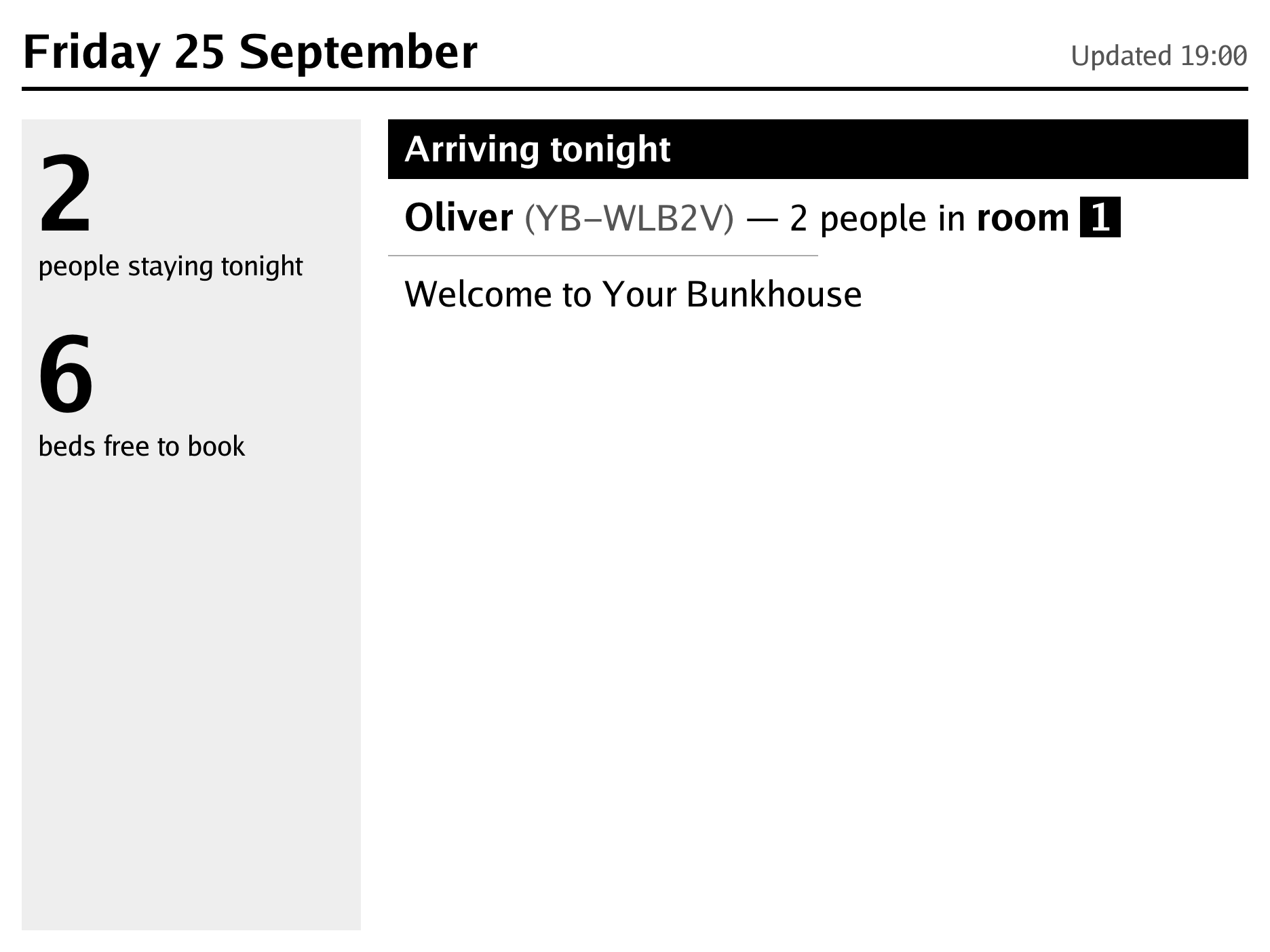
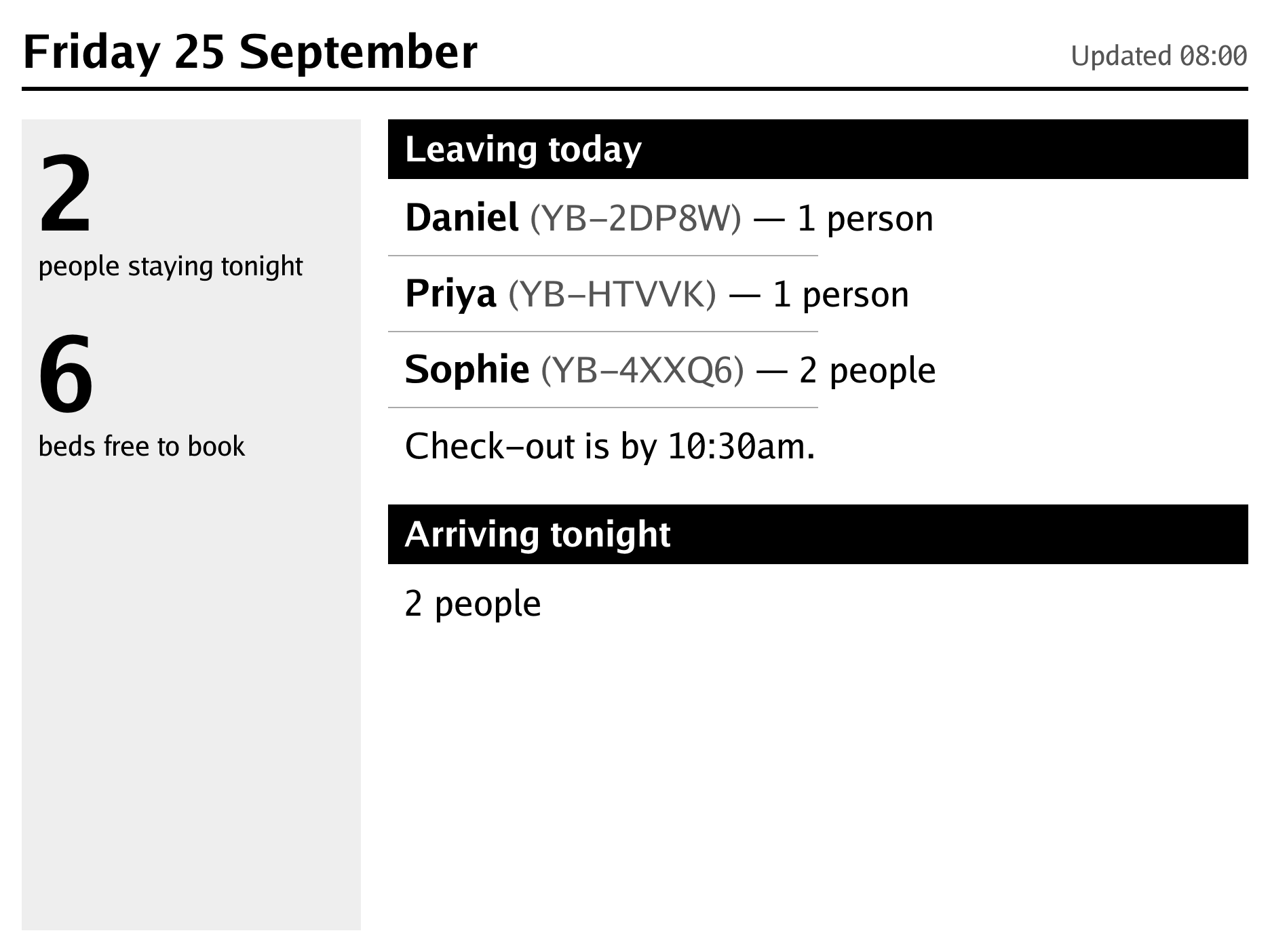
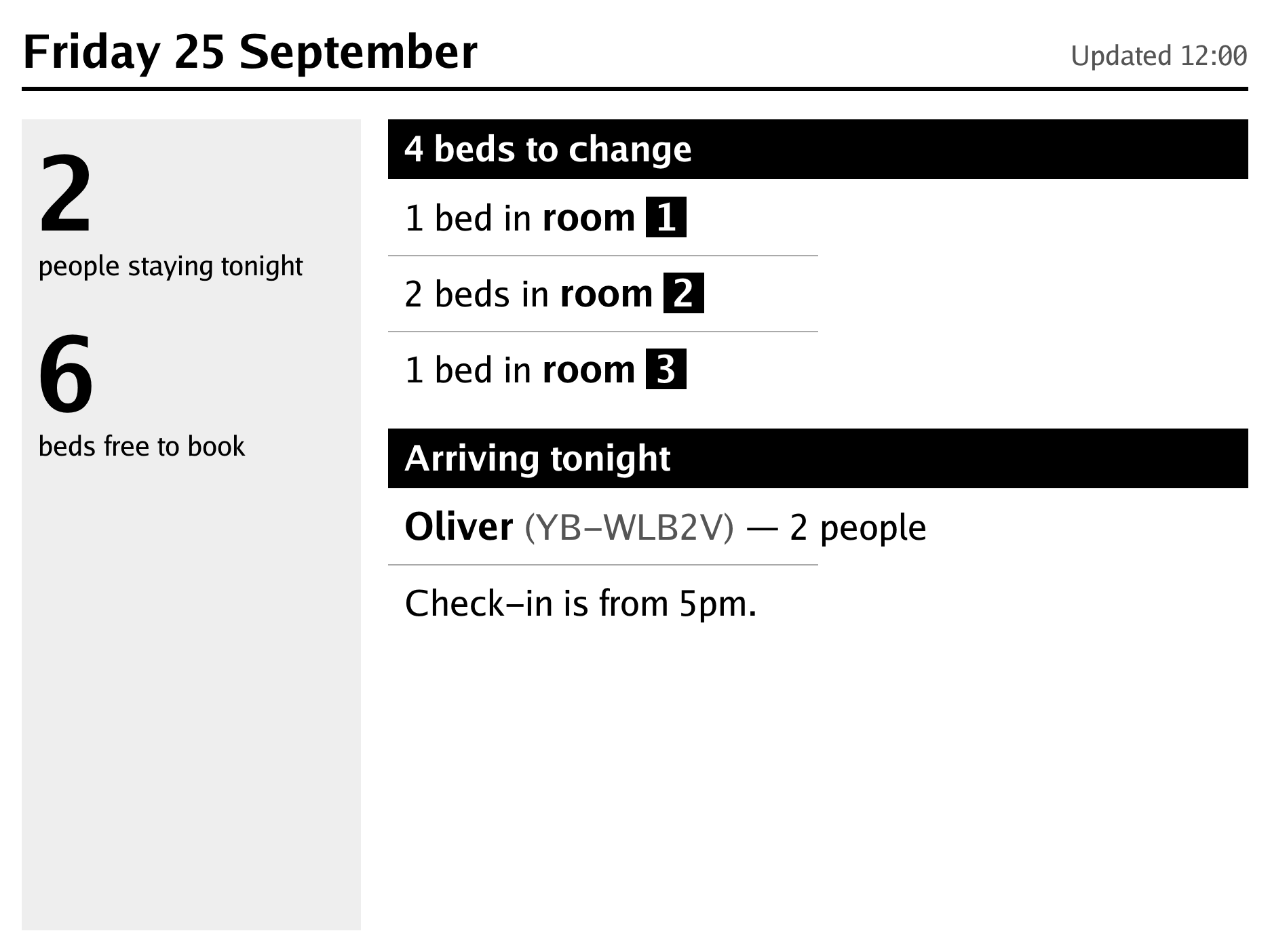
The wall display at 8am: Daniel on their own, Priya on their own and Sophie’s group of 2 leaving this morning, and Oliver’s group of 2 arriving tonight.The wall display at noon: beds to change, 1 in room 1, 2 in room 2 and 1 in room 3, and Oliver’s group of 2 arriving tonight.The wall display at 7pm: a welcome to Your Bunkhouse, with Oliver’s group of 2 in room 1.

An e-ink display in the hall changes through the day. In the morning it shows who is leaving, and after check-out, which beds to change. In the evening it shows the groups arriving and, once they have checked in, the room each group is in. Guests find their room without asking, and the display says when its battery needs charging. It works with TRMNL panels.

In your colours

Pick one colour:

The owner chooses one colour, and the booking pages use it throughout. Bunkhouse works out the other shades: one for buttons being pressed, a lighter one for dark mode, and white or dark text on top, whichever is easier to read. The pages show the bunkhouse’s name and a mark drawn in its colour. The booking pages can also sit inside the bunkhouse’s own website, which then reads its prices, terms and privacy statement from the same settings the app uses, so the two always agree.

Private by default

No accounts No tracking No cookie banner

Guests don’t need an account to book. There is no tracking and no cookie banner, because the only cookies are the ones that keep a booking going. A set time after each stay (a year, unless the owner chooses otherwise), Bunkhouse deletes the guest’s name, email address, phone number and copies of their emails. The record of the stay and the money is kept for the accounts, but it no longer names anyone.

If a guest asks for their details to be removed after their stay, an admin can do it with one button on the booking. Each bunkhouse has its own copy of the app and its own database. The pages follow the reader’s light or dark setting.

Pricing

Not decided yet. What we can say now.

If you run a bunkhouse or a small hostel and would like to try it, write to

bill@logicalcobwebs.com

Lately

  • Improved Staff

    Wall displays make more of their greys. Booking references and the time the board was drawn are a softer grey, so names and rooms stand out, and on a TRMNL X the numbers sit on a pale panel. An original TRMNL with up-to-date firmware can now be set to draw in 4 greys instead of black and white.

  • New Public

    Before paying, guests are asked about an email address that looks mistyped, and one that cannot receive mail is refused. Straight after booking, their booking page shows whether the confirmation arrived or bounced.

  • New Staff

    Stripe is connected under Settings, Payments: paste the account's key and the webhook's signing secret, and the key is checked with Stripe before it is kept. The page says which account guests pay into, whether the key is live or a test one, and when Stripe last reached the app. Only the last four characters of either key are ever shown.

  • New Public

    Anyone can now try the app from its website: book a pretend stay, pay with a test card, then look round the staff pages as the owner. Each visitor gets a demo bunkhouse of their own that nobody else sees. No email is sent, nothing is charged, and it is thrown away after an hour.

  • New Staff

    The day page has a new card, Who's in which room, showing every bed and who is in it. The guests in the house that night are listed by letter, with how many beds each has and the day they leave.

The whole changelog